Choose a little time.
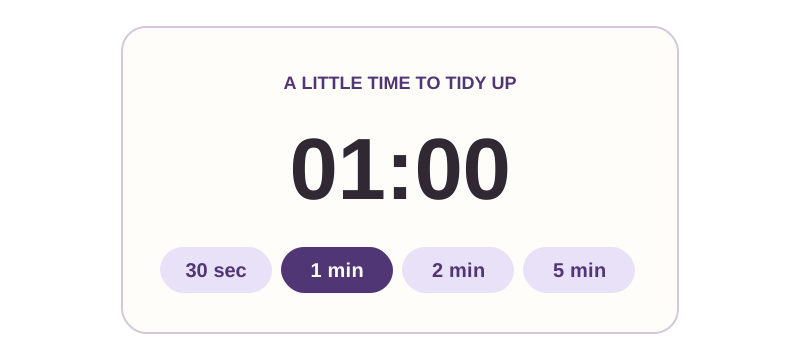
30 seconds, 1 minute, 2 minutes, or 5 minutes. Just enough time for a little keyboard care.


Coming soon
A little pause. A cleaner keyboard.
Disable typing while you clean your keyboard. Choose a timer, tidy up, and finish with your mouse or trackpad.
Coming soon to the Mac App Store


Works offline
No keystroke recording
No account needed
Finish with a click
THE LITTLE DETAILS
30 seconds, 1 minute, 2 minutes, or 5 minutes. Just enough time for a little keyboard care.
The cleaning screen catches ordinary typing. Your mouse and trackpad stay available.
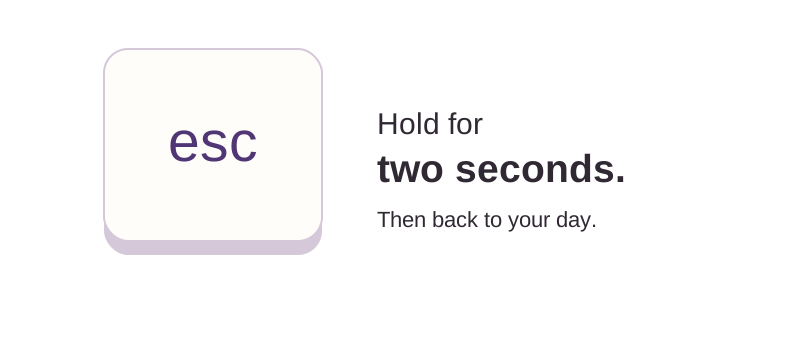
Click Finish cleaning, hold Escape for two seconds, or let the timer end.
Stillkeys works entirely on your Mac. What you type isn’t saved, recorded, or sent anywhere. No accounts, ads, analytics, or keystroke history.
Privacy detailsWHAT TO EXPECT
Typing is captured immediately, with three seconds to get ready.
Follow your device manufacturer’s cleaning guidance. Hardware controls and some system shortcuts stay active.
Finish with your mouse, a two-second Escape hold, or automatic expiry.
Stillkeys captures typing; it doesn’t turn off your keyboard hardware. See what stays available.
Coming soon to the Mac App Store
Coming soon to the Mac App Store
Planned price: $0.99 USD · No subscription · macOS 14+
Stillkeys captures typing while its foreground cleaning screen is active and disables Command-Tab for that session. It does not turn off your keyboard hardware or block every system shortcut.
Power, Touch ID, media keys, some system controls, and Command-Option-Escape remain available. Your mouse and trackpad continue to work.
Click Finish cleaning with your mouse or trackpad, hold Escape continuously for two seconds, or let the timer finish. A brief Escape tap won’t stop your session.
Stillkeys also ends the session if it loses focus, your Mac goes to sleep, or your display setup changes.
Stillkeys is built for Macs running macOS 14 or later, with Apple silicon and Intel support. It follows your Mac’s light or dark appearance.
The Mac App Store version doesn’t need Accessibility permission, administrator access, or any extra setup.
Stillkeys does not collect, store, or transmit personal information. It has no accounts, advertising, analytics, tracking, or third-party SDKs.
During a session, it discards keyboard events and checks whether Escape is held so you can exit. It doesn’t record typed text or keep a key history. The timer and your duration choice stay in memory and are cleared when you quit.
Optional support and cleaning-guide links open in your mail app or browser, which have their own privacy practices. macOS may handle diagnostics according to your system settings. This describes the Stillkeys app; see Coffee & Fun’s website privacy policy for this website.
Always follow your device manufacturer’s cleaning instructions. Apple recommends shutting down and disconnecting power before cleaning. Stillkeys does not replace those steps or make liquid cleaning safe.
No. Stillkeys is coming to the Mac App Store with a planned one-time price of $0.99 USD. There are no subscriptions or in-app purchases. Local prices may vary.