

Last week, an email landed in my inbox that every app developer knows and dreads: "Action Items needed."
Our add-on Helperbird, which over 1,000,000 people use to make Google Docs™, Google Slides™, and the web more accessible, had been flagged in a Google Workspace Marketplace re-review. The issue? Our short description was "longer than required."
Here's the thing. I checked the documentation Google linked in that same email. The limit is 200 characters. Our description was 181.
This is the story of how a perfectly compliant listing failed review, how we got it approved again within a day, and why knowing the documentation better than anyone else is the most underrated skill in shipping software.
The Email
On a Monday morning, the Google Workspace Marketplace Reviews Team sent us this:
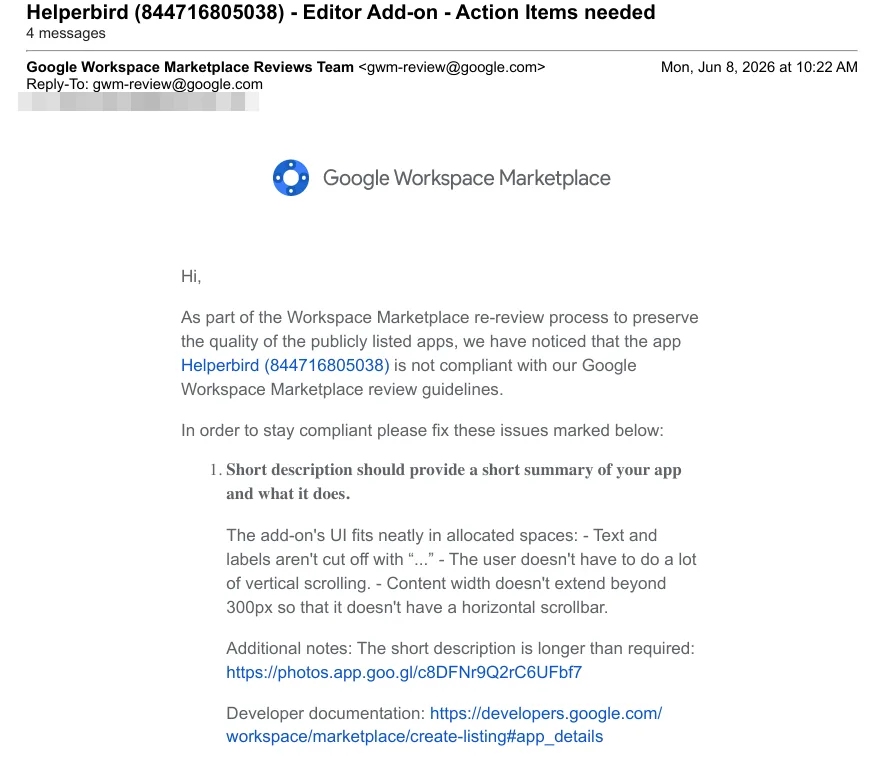
The flagged issue was: "Short description should provide a short summary of your app and what it does", with an additional note that "The short description is longer than required."
The email helpfully linked to Google's own listing documentation. Which says, word for word:
A short summary of your app and what it does (200 character limit).
Our description at the time:
Read, understand and navigate the web easier. Including Features to make Google Docs™, Google Slides™ & Google Drive™ more accessible. Including Immersive reader & dyslexia support.
That's 181 characters. Nineteen under the documented limit.
So What Was Actually Wrong?
Reading the email more closely, the real complaint wasn't the character count at all. The reviewer's notes were about UI fit, text getting cut off with "..." in the Marketplace card. In some views, Google truncates your short description before 200 characters, so a fully compliant description can still look too long in certain placements.
In other words: we followed the written rule, and got flagged on an unwritten one.
I'd be lying if I said that didn't sting a little. But after fifteen years of publishing to app stores, I've learned that arguing about who's technically right is rarely the fastest path back to "Approved."
What I Did
Two things, in this order:
1. Fixed it first
I trimmed the description from 181 to 170 characters. The edit was tiny, dropping a redundant "Including" and a trailing period:
Read, understand and navigate the web easier. Features to make Google Docs™, Google Slides™ & Google Drive™ more accessible. Including Immersive reader & dyslexia support
Honestly? It reads better now. Sometimes the reviewer does you a favor by accident.
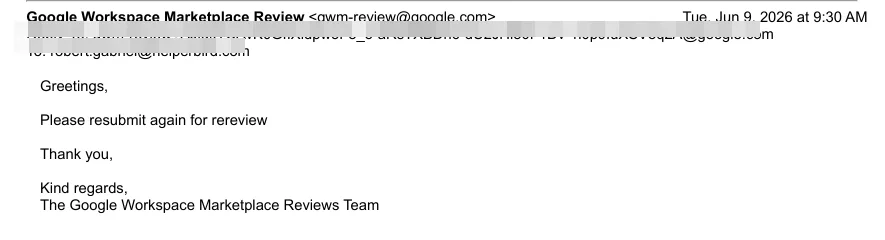
I updated the listing the same morning and replied to let them know. The next day, they asked me to resubmit:
2. Then, politely, stated the facts
When I resubmitted, I didn't just say "done." I pointed out, politely, with a quote from their own documentation, that the original version was within the published limit:
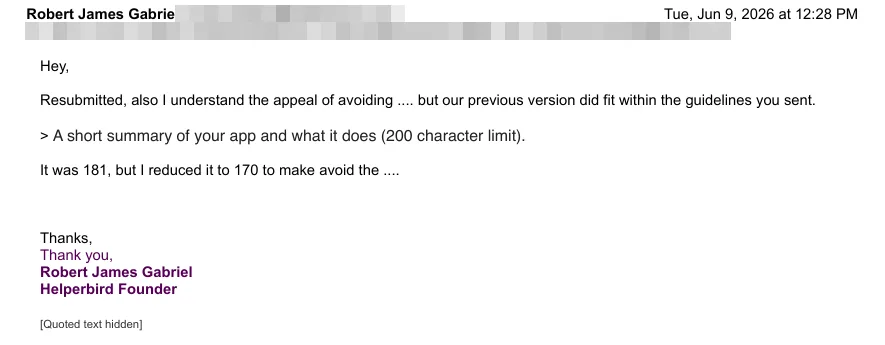
Resubmitted, also I understand the appeal of avoiding "...", but our previous version did fit within the guidelines you sent.
"A short summary of your app and what it does (200 character limit)."
It was 181, but I reduced it to 170.
The listing was approved shortly after. Total downtime drama: about a day.
Why Bother Replying at All?
If the fix took five minutes, why write back about being right?
Because review teams are made of humans, and humans work off the same documentation you do. If the docs say 200 and listings get flagged at 181, one of two things is true: either the documentation needs updating, or reviewers need a clearer rule about truncation. Either way, the feedback only reaches Google if developers actually say it.
A short, factual, friendly note does three things:
- It creates a paper trail. If the same issue comes up in a future re-review, you have the receipts.
- It flags a documentation gap to the people who can actually fix it.
- It keeps the relationship good. Reviewers deal with genuinely awful submissions all day. Being the polite developer with their facts straight goes a long way.
Takeaways for Other Developers
Read the documentation before you respond. Not your memory of it, the actual current page. The reviewer linked the doc that proved our point. That only helps if you check it.
Fix fast, argue second. Your users don't care who was right. Getting re-approved was worth more than winning the argument, and doing both is allowed.
Write descriptions that survive truncation. The real lesson under all of this: front-load your first sentence with what your app does, because some surface somewhere will cut you off with "..." no matter what the limit says.
Reviewers can be wrong, and that's okay. A million users, years of clean reviews, and we still got flagged for following the rules. It's not personal. It's a person, with a queue, doing their best.
Keep every email. Review threads are your documentation of record. You'll be glad you have them.
The Happy Ending
Helperbird is approved, live, and now sporting a slightly tidier 170-character description. Google's review team was responsive throughout, and the whole thing was resolved in about a day, which, credit where it's due, is fast for any app store.
If you've been through a review rejection that didn't match the documentation, I'd genuinely love to hear about it. Come tell me on Twitter or in our Discord.
Now, back to building.